The Workbench
This section covers how to build requests, manage headers, bodies, and auth.
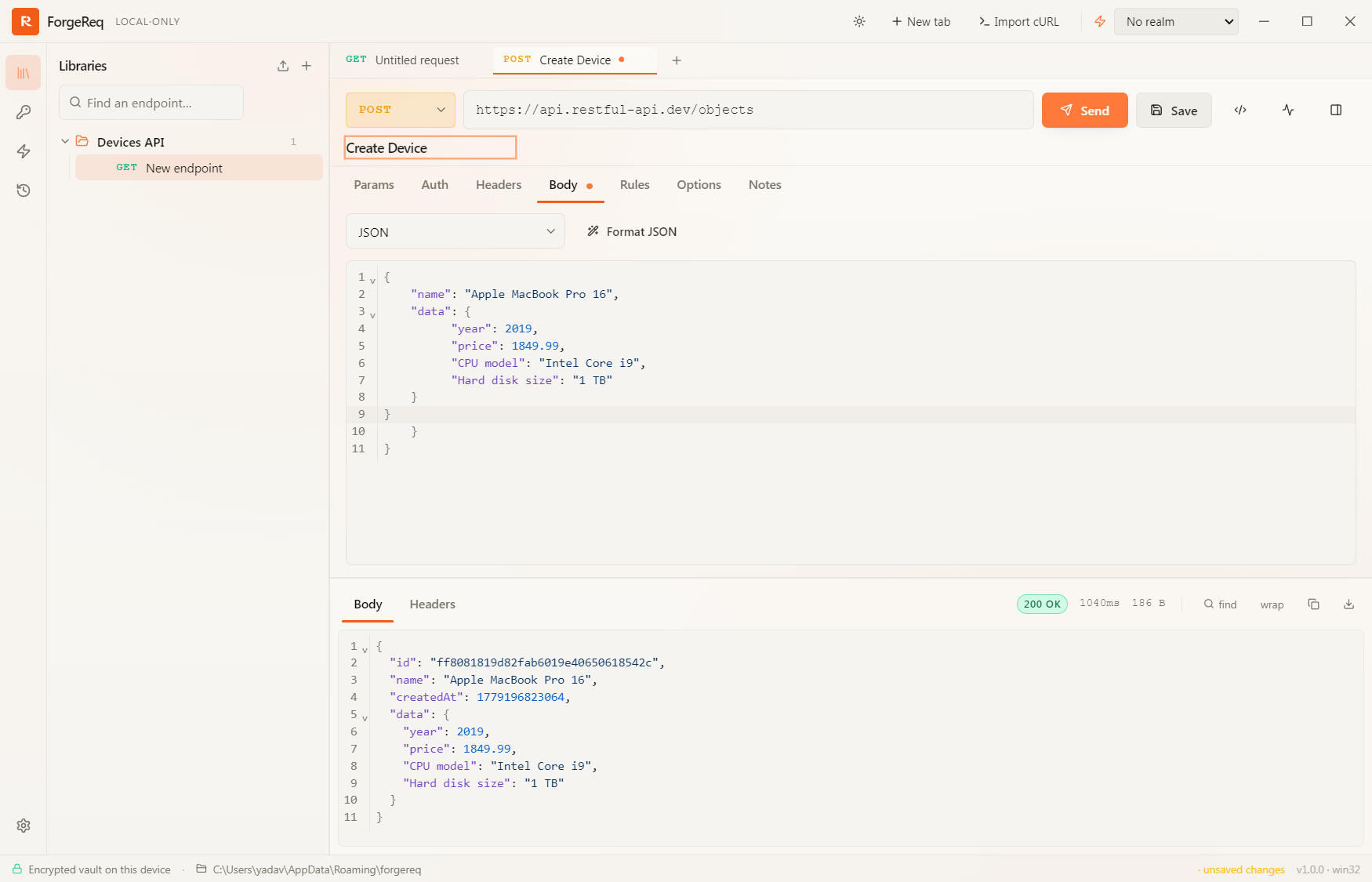
Building a Request
- Select the HTTP Method: Use the dropdown in the URL bar to select GET, POST, PUT, DELETE, etc.
- Enter the URL: Type the target endpoint. You can use
{{variable}}syntax to pull values from your Stash. - Configure Headers & Body: Use the Tabs below the URL bar to add query parameters, headers, or a JSON/Form body.
- Send the Request: Press
Cmd/Ctrl + Enteror click the Send button.
Request Options
Inside the Options tab, you can configure per-request overrides such as:
- Connection Timeout
- Max Redirects
- Disable TLS Verification
- HTTP Proxy