Getting Started
Welcome to the ForgeReq usage guide. This documentation will walk you through the core features of the application.
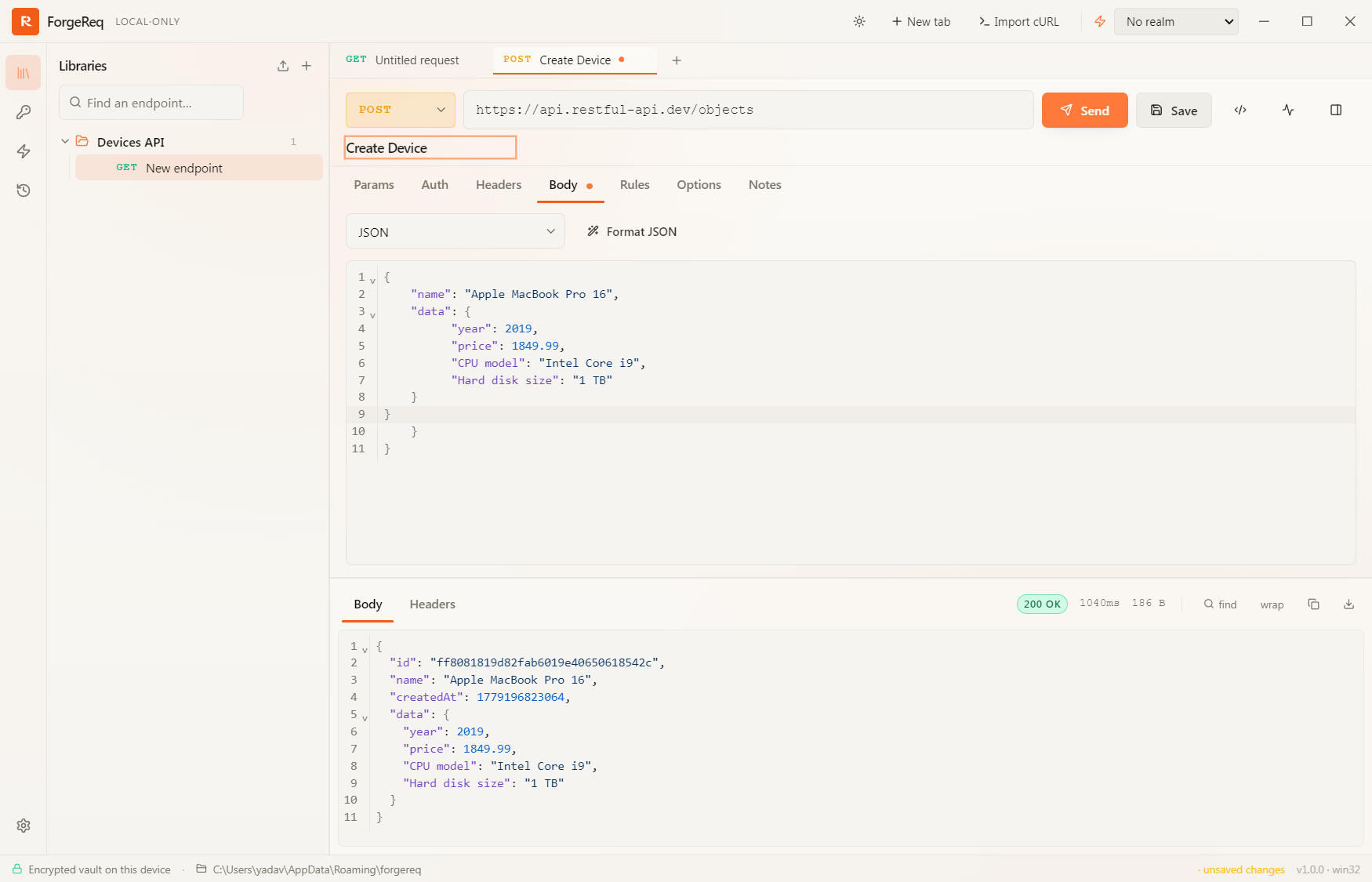
Overview
ForgeReq is a privacy-first, local-only REST API workbench. Every endpoint, secret, and response stays on your machine inside an AES-256-GCM encrypted vault.
What’s inside
-
🤖 AI Assistant — bring-your-own-key chat sidebar that autonomously drives the workspace for you.
-
🔌 Model Context Protocol (MCP) — first-class MCP client with one-click OAuth 2.1, DCR, sampling, elicitation, cancellation, and the MCP Apps extension.
-
The Workbench — build, send, and inspect requests across HTTP, gRPC, Kafka, SOAP, and MCP.
-
Stash & Realms — variables and environment overlays, all encrypted at rest.
-
Request Chaining (Rules) — declarative response → variable capture, library-scoped.
-
Inheritance & Overrides — cascade auth, headers, and proxy down library → shelf → endpoint.
-
Local Mock Servers — expose any library as a
localhostHTTP mock in one click. -
gRPC · Kafka · SOAP — first-class support for each protocol.
-
Library Runner & Load Testing — sequence runs and parallel load tests with live percentiles.
-
Client Certificates (mTLS) — global cert registry, PEM and PFX, passphrase-aware, proxy-friendly.
-
Vault Backup — portable, passphrase-protected
.rfvaultexport / import.
✨ AI-native, end-to-end
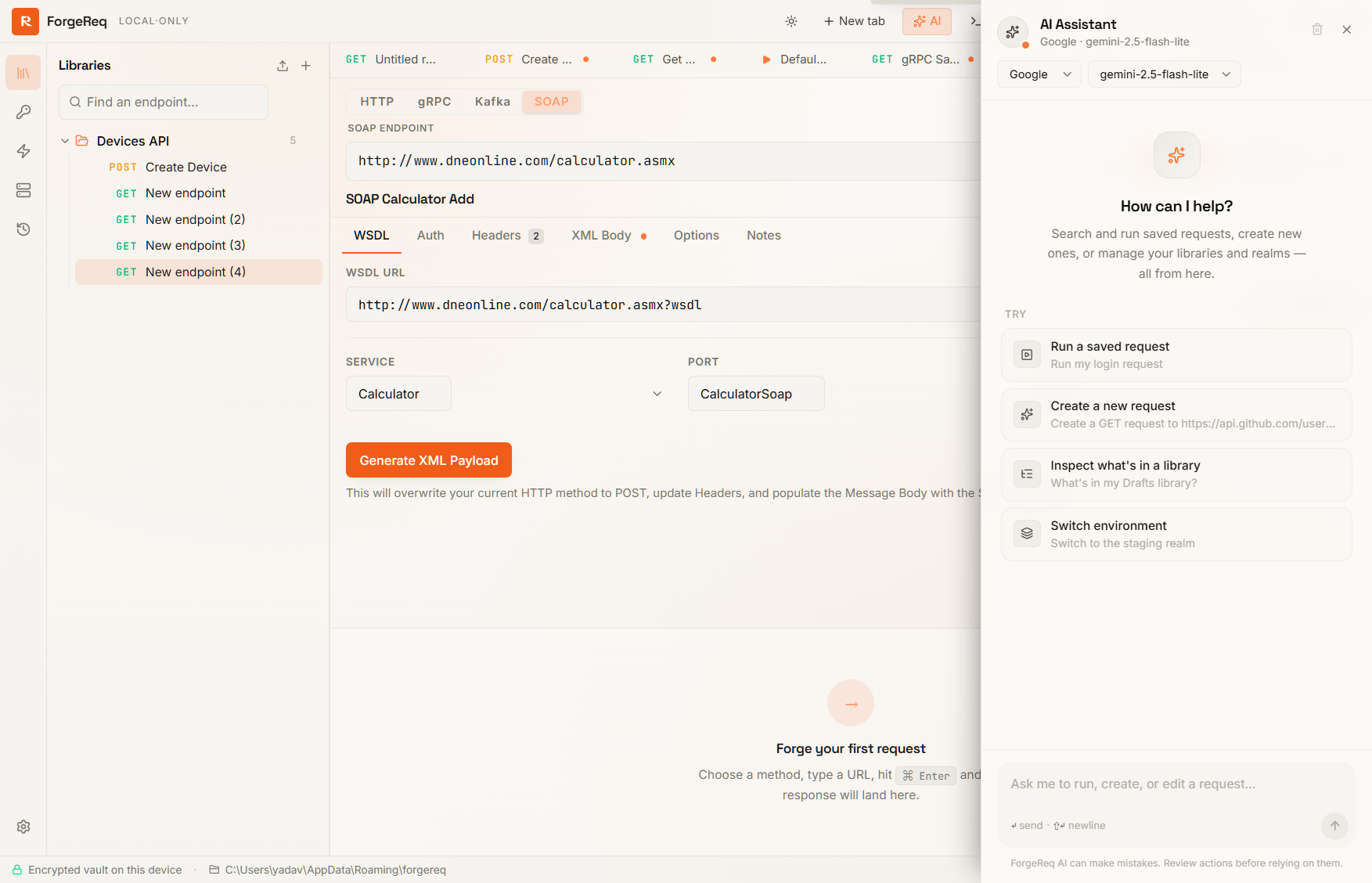
ForgeReq is the only local-first REST workbench that ships a fully agentic AI Assistant and a first-class MCP client in the same app. Both are bring-your-own-key, both run entirely on your machine, and they compose.
🤖 Agentic AI Assistant
A built-in conversational sidebar that drives your workspace directly from natural language.
- Provide your own API key — OpenAI, Anthropic, Gemini, Vertex AI, Azure OpenAI, xAI Grok, or Ollama (fully offline).
- Tell the AI to “create a new login request”, “add auth headers”, “connect to my MCP server”, or “run a load test”.
- The assistant creates, updates, and executes requests across HTTP / gRPC / Kafka / SOAP / MCP autonomously on your behalf.
- Conversations persist inside the same encrypted vault as the rest of your data.
🔌 Model Context Protocol (MCP) client
A drop-in alternative to the official MCP Inspector with the full ForgeReq workbench layered on top.
- Both transports — Streamable HTTP (current spec) and legacy SSE.
- Inspector-grade UI for
tools/*,resources/*,prompts/*, andlogging/setLevel. - One-click Connect: discovery (RFC 9728 + 8414), Dynamic Client Registration (RFC 7591), and PKCE sign-in all run automatically. A red Cancel button bails out cleanly at any stage.
- Sampling, elicitation (form + url modes), and
notifications/cancelledall fully implemented. - MCP Apps (SEP-1865) — tools that ship interactive
ui://HTML views render inline in a sandboxed iframe with the full postMessage bridge. - Test with LLM tab — hand a server’s tools to any registered model and watch it autonomously drive a real session.
Together, they make ForgeReq the only client where you can register an MCP server, ask the assistant “use these tools to draft an order, then run the e2e profile against staging”, and watch it actually do it.
Use the sidebar on the left to jump into any guide.