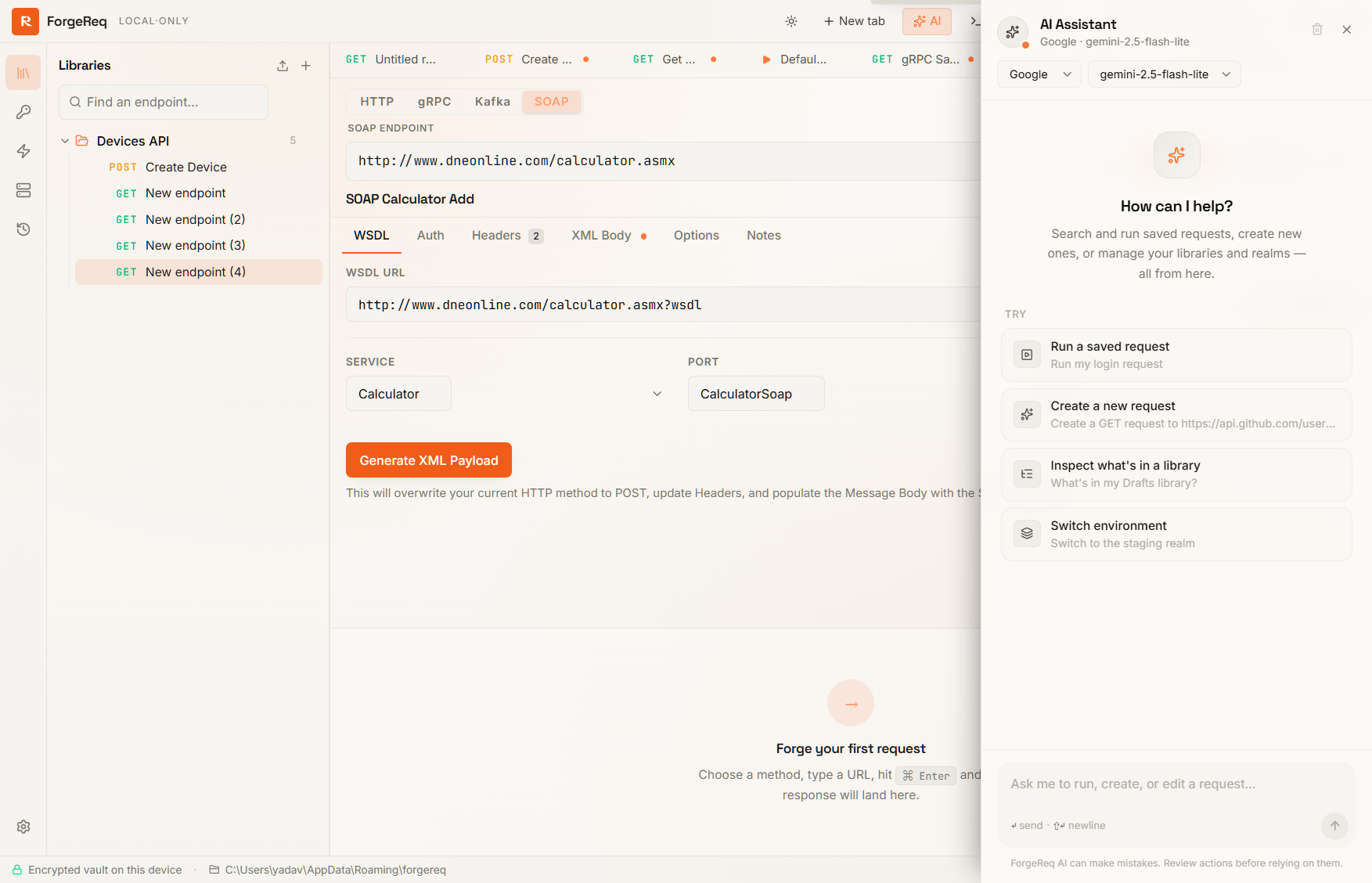
AI Assistant
A built-in conversational sidebar that can drive the workspace for you — list your libraries, find a request by name, create or edit endpoints across all four protocols (HTTP / gRPC / Kafka / SOAP), set variables, and run requests — all from natural language.
Bring your own model
ForgeReq is BYOK (bring-your-own-key). No data passes through a ForgeReq backend, because there is no ForgeReq backend. Conversations and tool calls go directly from your machine to the LLM provider you configured.
Supported providers:
- OpenAI (
gpt-4o,gpt-4o-mini, …) - Anthropic (
claude-sonnet-4,claude-opus-4, …) - Google Gemini (
gemini-2.5-pro,gemini-2.5-flash, …) - Google Vertex AI — via the OpenAI-compatible gateway path
- Azure OpenAI — via your deployment’s
/openai/responsesendpoint - xAI (Grok)
- Ollama — fully local; nothing leaves your machine at all
Every provider lets you override its baseURL, which makes it trivial to point the assistant at a corporate gateway, a custom proxy, or a self-hosted compatibility layer.
Setup
- Open Settings → AI Assistant.
- Click Add provider, choose the provider type, paste your API key, and (optionally) a custom
baseURL. - Add the model names you want to use — each provider supports multiple models, switchable per-conversation from the sidebar header.
- Click Save.
- Click the AI button in the title bar to open the sidebar.
API keys are stored inside the encrypted vault — same protection as the rest of your data.
What the assistant can do
The assistant has tools for the entire workspace. A few of the things it can do for you in one sentence:
- Discover: “What’s in my Drafts library?” → calls
listLibraries+listRequestsand summarises. - Search: “Do I have a login request?” → fuzzy-searches by name + URL.
- Create: “Create a
GET /users/{{id}}request in the Users shelf” → callscreateRequestwith the right library, shelf, method, URL. - Create across protocols: “Make a Kafka consumer for
orders.v2onlocalhost:9092” →createRequestwithprotocol="kafka"plus the right broker / topic config. The same works for gRPC (proto + service + method) and SOAP (WSDL URL + service + operation). - Edit: “Add a
Bearer {{token}}Authorization header to this request” → callsaddHeaderToActiveRequeston the active tab. - Run: “Send the login request, then send GET /me” → resolves the targets, checks variables, sends, and surfaces the responses.
- Manage env: “Switch realm to staging and set
apiKeytodemo_xyz” →setActiveRealm+upsertStashVar.
Privacy and persistence
- Local-only. The sidebar talks to the LLM provider over the network you configured. ForgeReq never sees the conversation.
- Persisted in the vault. Your single conversation history rides inside the encrypted vault, so closing and reopening ForgeReq picks up where you left off — same provider, same model, same scrollback.
- Auto-compaction. Long conversations are summarised in the background by the same model to keep within its context window without losing earlier context. The conversation summary is also stored in the vault.
- Clearable. The trash icon in the sidebar header wipes the conversation immediately.
Rich rendering
Assistant replies render as full Markdown with syntax-highlighted code blocks (powered by Shiki), so curl snippets, JSON examples, and tables come through cleanly. Copy buttons on every code block make it one click to lift a snippet into a terminal.
Tips
- The header pill always shows the active provider · model — use the model picker right next to it to swap mid-conversation if a different model handles a specific question better.
- When the assistant isn’t sure where to put a new request (e.g. you have multiple libraries), it will ask rather than silently pick a default. Confirm explicitly.
- For destructive actions (delete library / shelf / request), the assistant will confirm with you before executing — don’t be surprised when it pauses for your “yes” before deleting anything.
- The assistant can do
searchRequestsbefore sending a request by name, so “run the login request” works without you ever quoting an exact endpoint id.